Finance
Close the month
Read the company report when the period ends. Commissions, listing fees, and VAT are already totalled from the payments you have tracked.
Affiliate payments
Affiledger is built for finance and affiliate teams. Import a month of commission data, assign affiliates to companies, and follow what has been paid, partially paid, or left unpaid, including listing fees and VAT.
Who it is for
Finance closes the month. Affiliate teams chase what is still open. Both work from the same payments.
Finance
Read the company report when the period ends. Commissions, listing fees, and VAT are already totalled from the payments you have tracked.
Affiliate teams
See which payments are unpaid or only partially paid, and leave the note on the payment you are following up.
The product
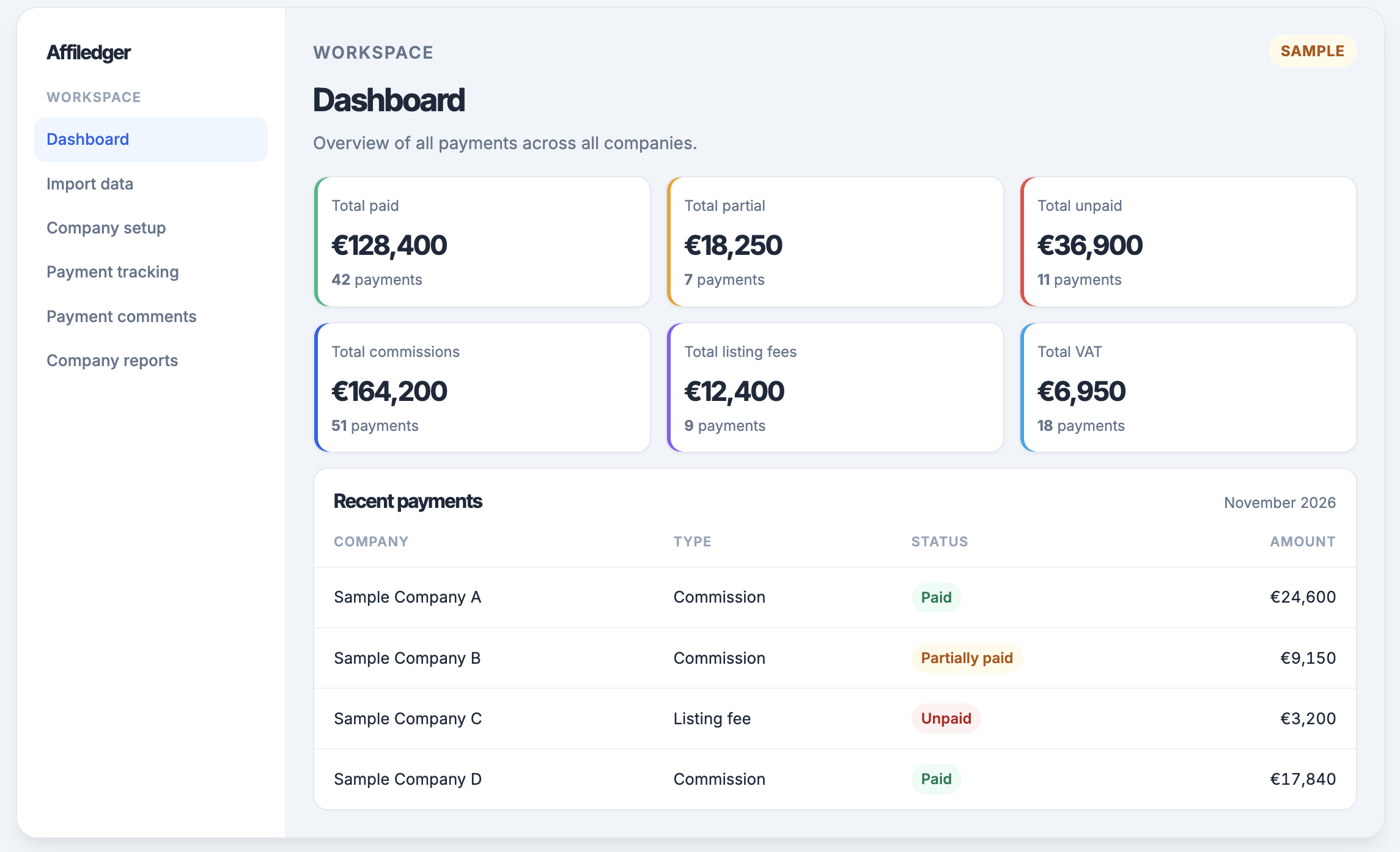
Each part of the workspace matches a job the team already does. Open the screen, do the work, and the figures stay linked.
See paid, partial, and unpaid totals across every company, with commissions, listing fees, and VAT in the same view.
Upload a monthly CSV of affiliate commissions. Re-importing a file replaces only that format for the selected month.
Create companies, record how each one is paid, and assign the affiliates that belong to it.
Open a company and follow each payment as unpaid, partially paid, or paid, with the amount still outstanding.
Leave a note on a payment so the next person can see what was agreed, queried, or chased.
Read commissions, VAT, and invoices for one company when the month needs to be closed.
How it works
Start with the file you already receive. Finish with a company report you can stand behind.
Upload the commission file for the period you are closing. The rows land in the ledger for that month.
Match affiliates to the company that should be paid, and record the payout method for that company.
Mark amounts as unpaid, partially paid, or paid. The outstanding balance stays on the payment.
Open the company report for commissions, VAT, and invoices when finance asks for the month.
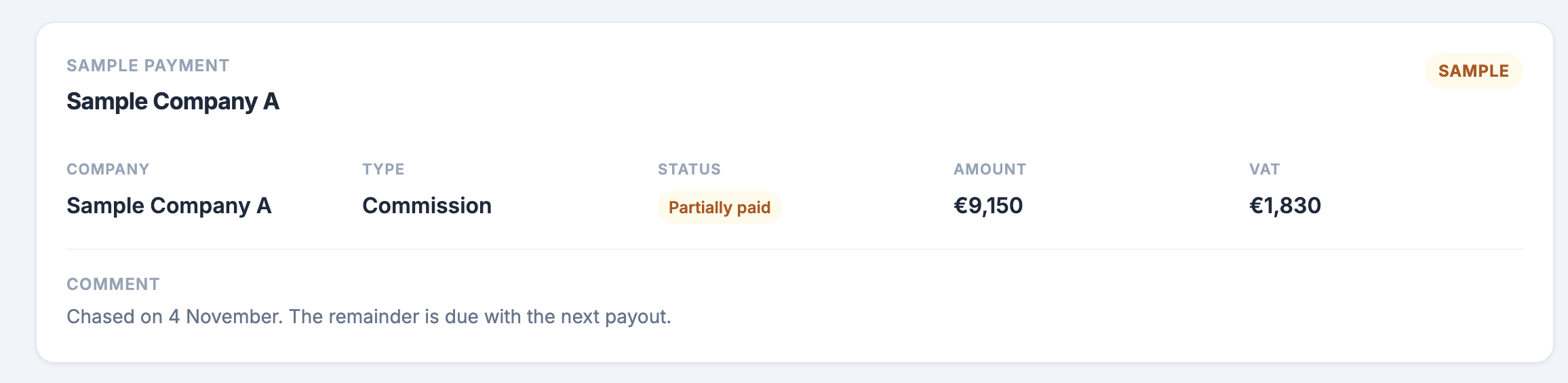
A payment
One sample record. The company and the figures are for illustration.
The workspace
A sample dashboard. The figures below are for illustration and are not live data.
Benefits
The value is a shared record: the same companies, the same statuses, and the same notes.
Affiliates, payout methods, and payments sit with the company they belong to. The month stays in one place.
Paid, partially paid, and unpaid amounts stay visible together, so outstanding balances are not hidden in a side column.
Commissions, listing fees, and VAT are totalled from the payments you have already tracked.
Queries, agreements, and follow-ups live on the payment, ready for the next person who opens it.
Questions
Short answers on platforms, currency, and how a file becomes a payment.
Yes. Bring in monthly reports from the platforms you already run, across affiliate tracking, partner management, and performance marketing operations. Cellxpert and iRev are both in use today. Each file keeps its own rows, so two sources can sit in the same month.
Yes. The currency is customisable, so totals follow the currency your companies are paid in. The sample dashboard on this page uses euros only as an illustration.
A monthly CSV. Comma and semicolon files are both accepted, including European and US number formats. Affiledger reads the header and maps the report into the ledger for the month you select.
Re-importing a file replaces only that source for the selected month. Rows from the other platform stay in place.
The company, the type (commission or listing fee), the status (unpaid, partially paid, or paid), the amount, VAT, and a comment for the next person who opens it.
Yes. Finance closes the month from the company report. Affiliate teams use the same payments to see what is still open and to leave a note on the one they are chasing.
Read how a month moves from the file to the company report.